
# Pilot
Run a quick analysis to spot issues fast without committing to a full run.
What Pilot is for
- Quick smoke checks while you iterate on scripts.
- Early signal before running full Analyze.
- Safe experimentation when you expect frequent changes.
Typical workflows
- Edit a scene → run Pilot to catch obvious errors before a full Analyze.
- Try a refactor → Pilot to confirm no immediate breakages, then Analyze when stable.
- Rapid iterations in watch-like loops without long waits.
What Pilot changes (and what it doesn’t)
- Runs a lighter analysis pass for speed; may skip deeper checks that Analyze performs.
- Does not replace full Analyze for releases, flowchart updates, or final counts.
How to run (UI)
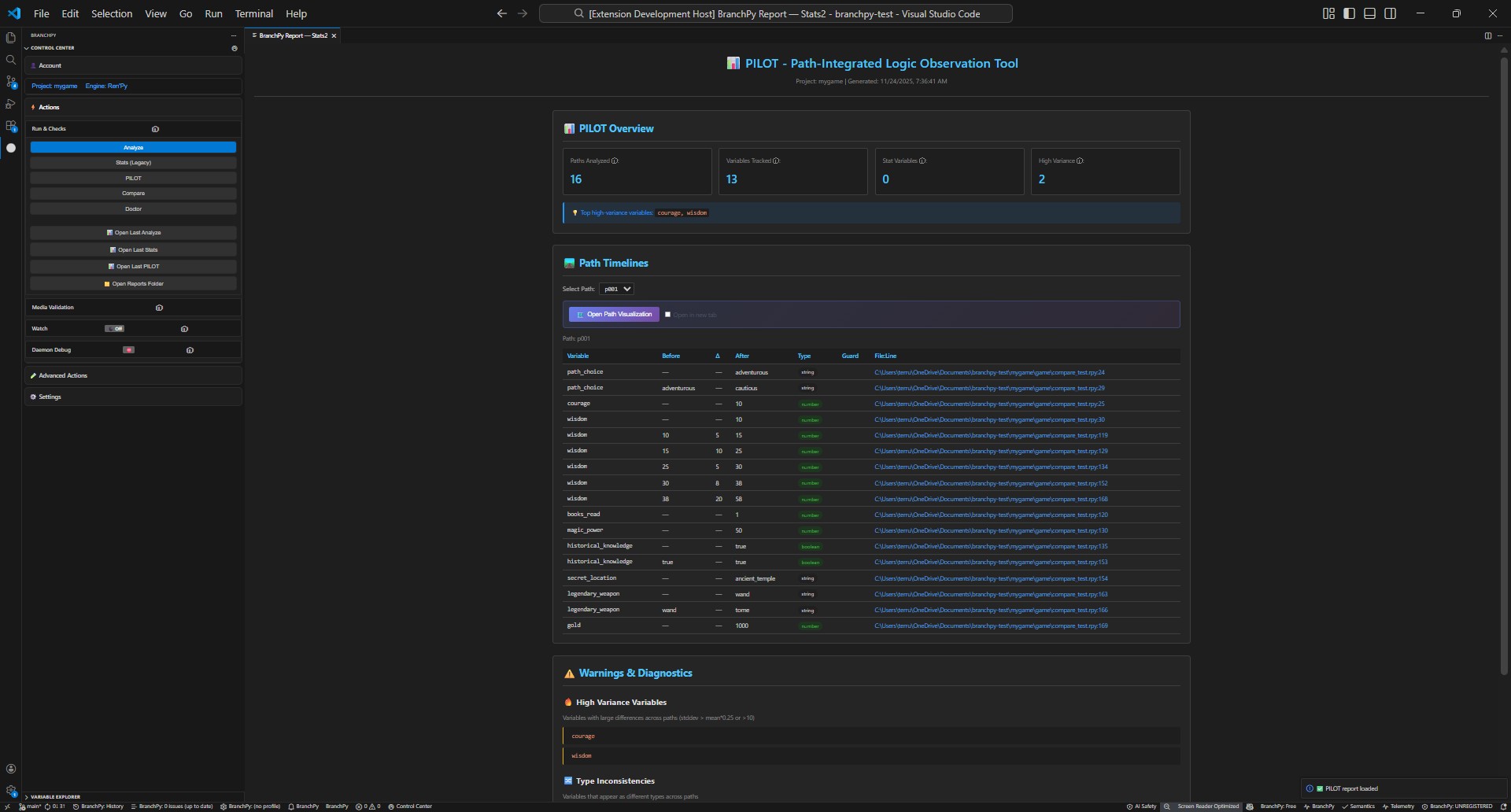
- Open the Control Center and select Pilot.
- Choose your project if prompted.
- Start the run; review quick findings and fix any blockers.
When to follow with Analyze
- Before sharing or merging changes.
- When you need updated flowchart/stats/compare outputs.
- After enabling optional sources like PFI/SAE.
Learn more: Technical/cli