What BranchPy Studio Actually Does
Practical analysis tools for real production problems in Ren'Py and Godot projects.
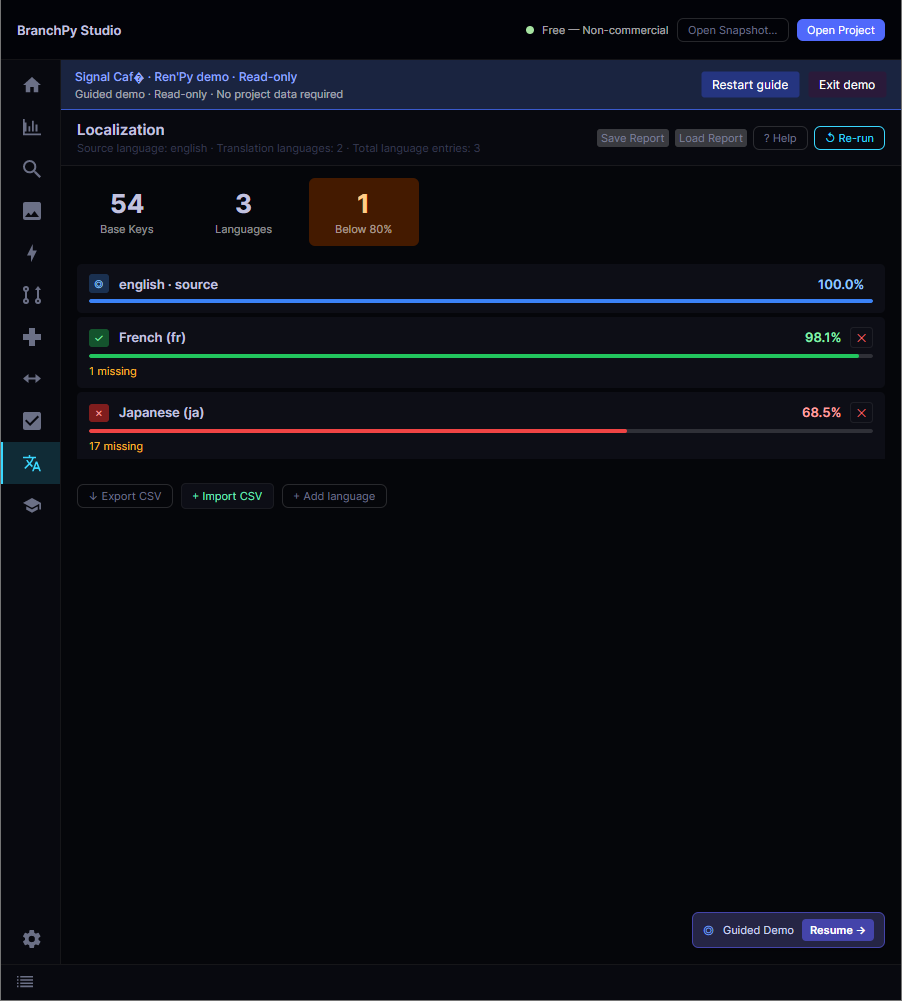
Catch logic issues before release
Hidden path errors surface late in QA — at the most expensive moment, right before release.
Detects unreachable paths, broken transitions, and structural inconsistencies early, and points you straight to where they are.
- Issues surfaced in one analysis pass
- Faster triage and fix cycles
- Fewer release-blocking surprises
- Navigate directly to each problem area
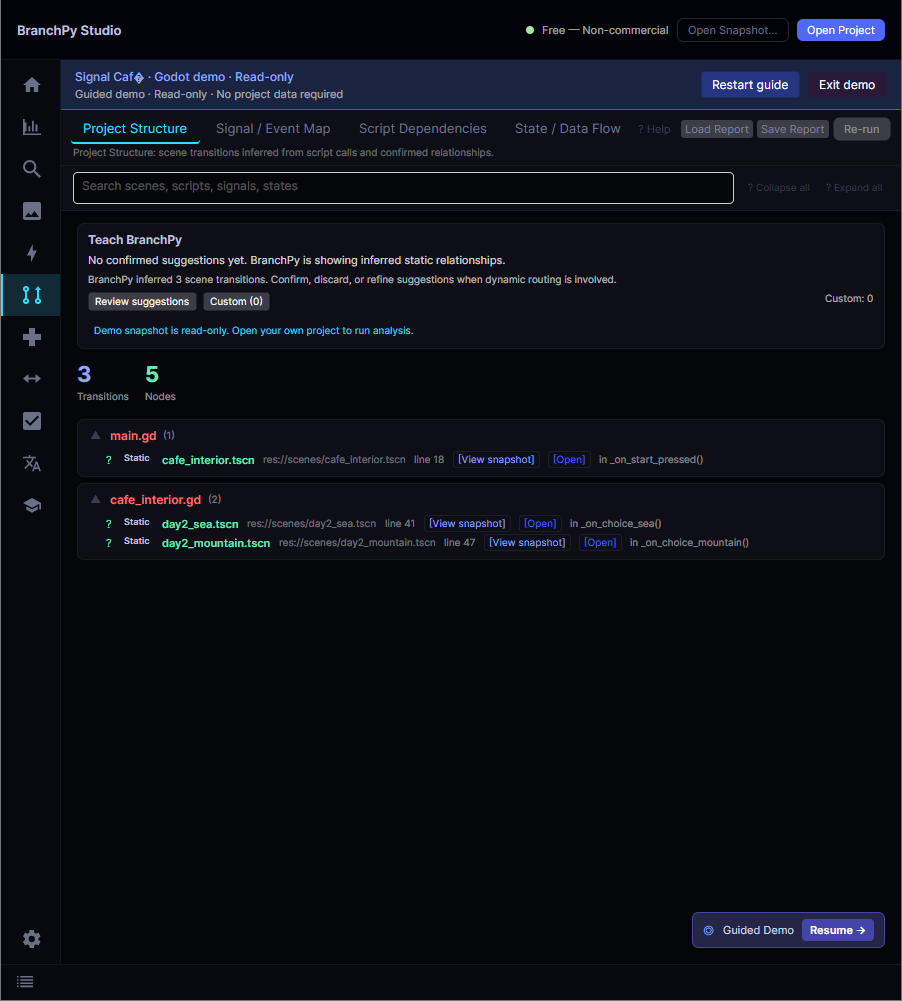
Visualize your project structure
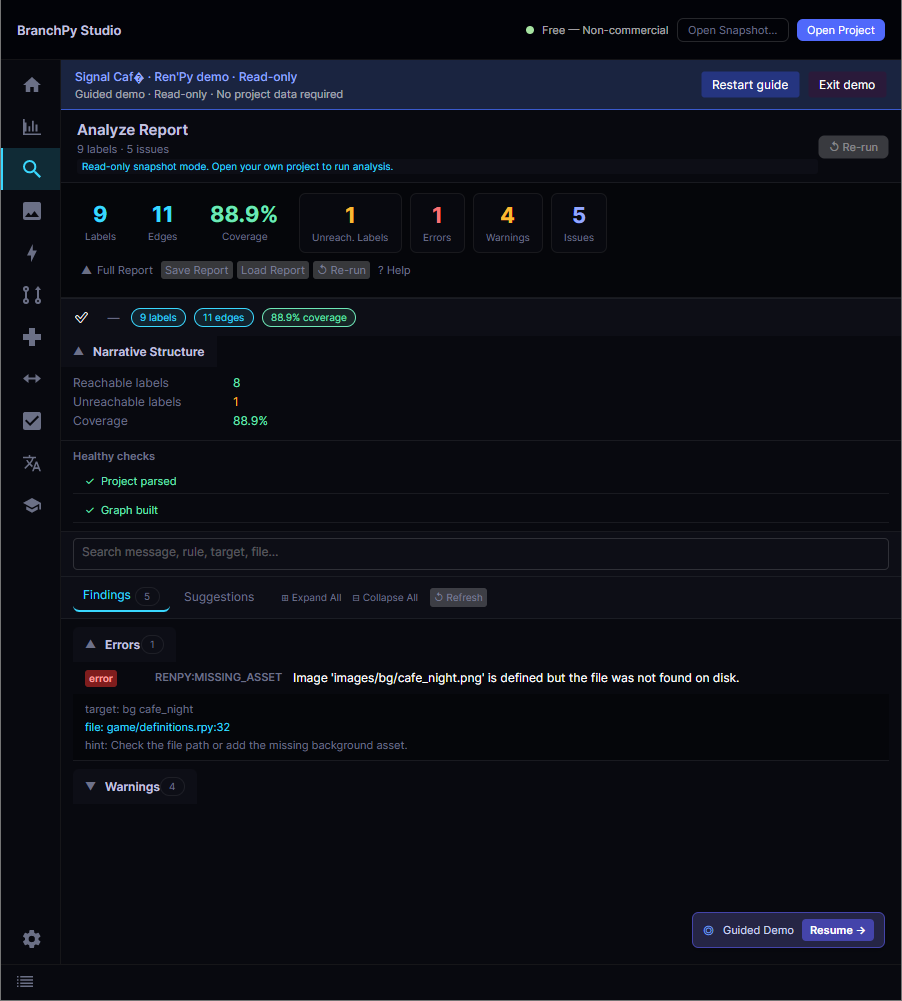
As scope grows, project flow becomes hard to reason about — for you and for collaborators.
Maps paths, branches, and relationships into a clear, interactive view you can explore and filter.
- See the whole project structure at a glance
- Faster onboarding for collaborators
- Clearer design and QA reviews
- Always in sync with your project
Validate media integrity
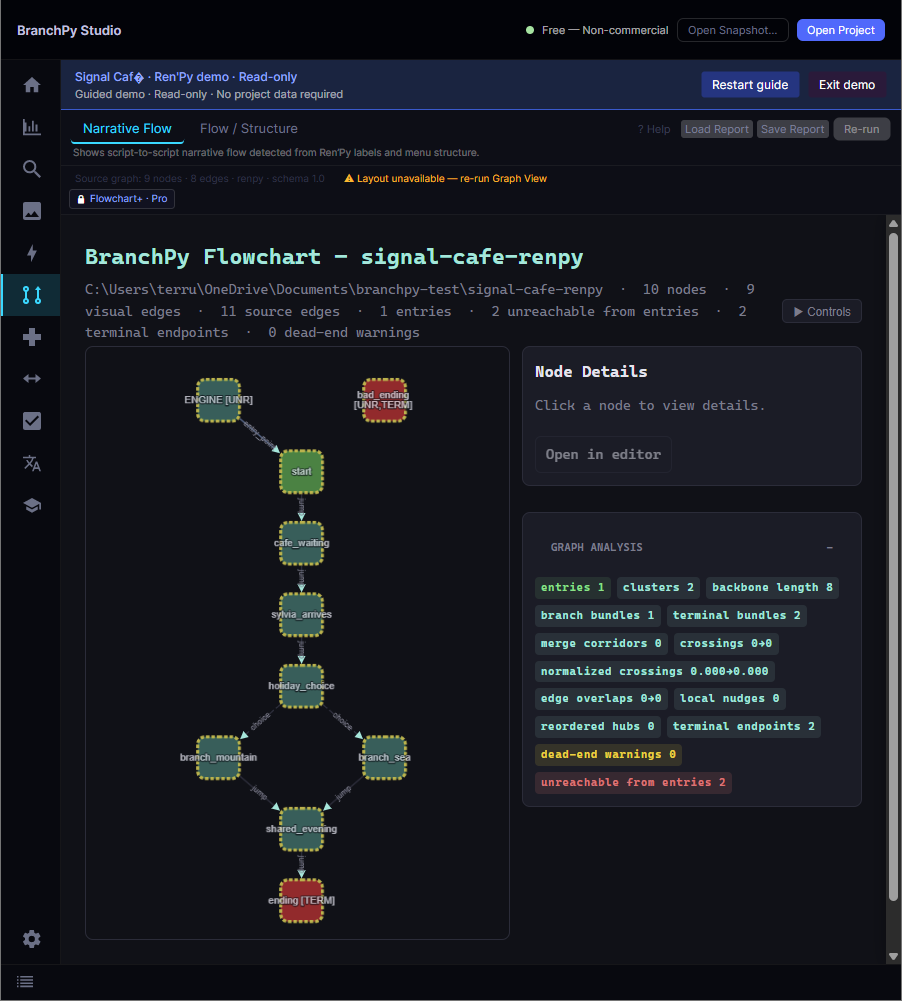
Asset references drift during production, leading to missing images, unused files, and runtime errors.
Verifies media usage, surfaces missing references, and highlights cleanup opportunities — without ever modifying your files.
- Missing references surfaced in one report
- Unused assets flagged for review
- Reliable, repeatable media validation
- Cleaner project organization
Move from issue to fix quickly
QA findings are disconnected from the implementation flow, which slows resolution and ownership.
Organizes findings so teams can triage, assign, and act faster — and jump straight to the relevant code. You decide what to change.
- Findings organized and actionable
- Faster issue ownership
- Jump from a finding to its code
- Shorter QA-to-fix time
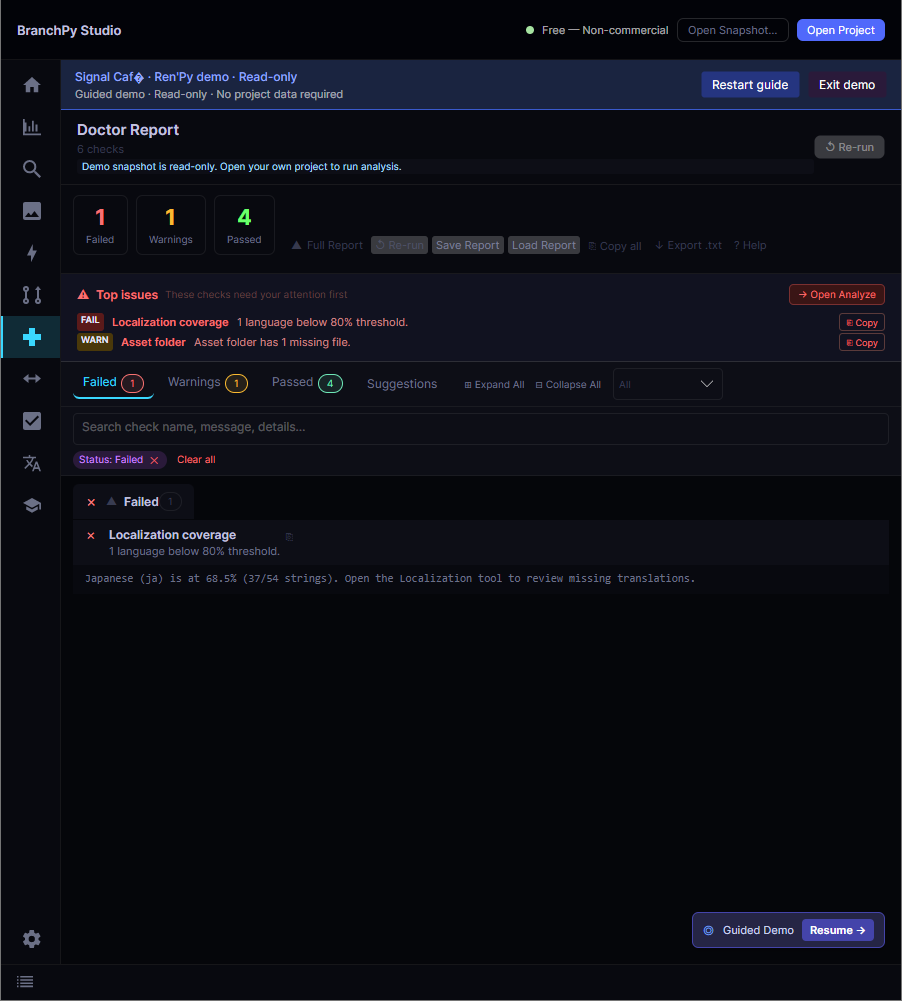
Run fast, deterministic checks
Re-running full manual checks for every change is slow, and inconsistent results make findings hard to trust.
Runs deterministic core analysis locally — the same inputs always produce the same results — so you can check fast and trust what you see.
- Fast local analysis, no guesswork
- Deterministic, repeatable results
- Read-only by default — source untouched
- Confidence before each release
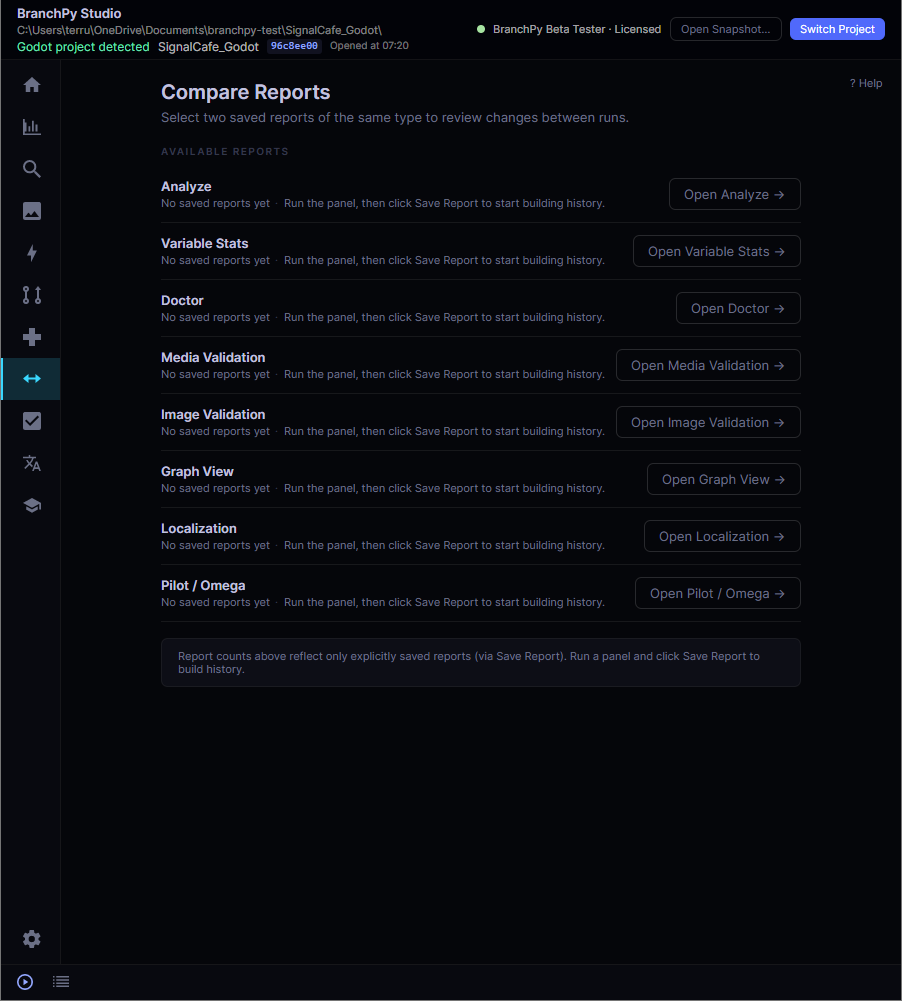
Compare analysis runs over time
When you can't see what changed between checks, it's hard to confirm fixes held or to notice what moved.
Compare Reports lines up two saved reports of the same type and shows what changed between runs — across Analyze, Stats, Doctor, Media Validation, Image Validation, Graph View, PILOT/OMEGA, and Localization.
- Compare saved reports over time
- Review what changed between saved analysis runs
- Works across Analyze, Stats, Doctor, Media, Graph View, PILOT/OMEGA, and Localization
- Save a report after each run to build history
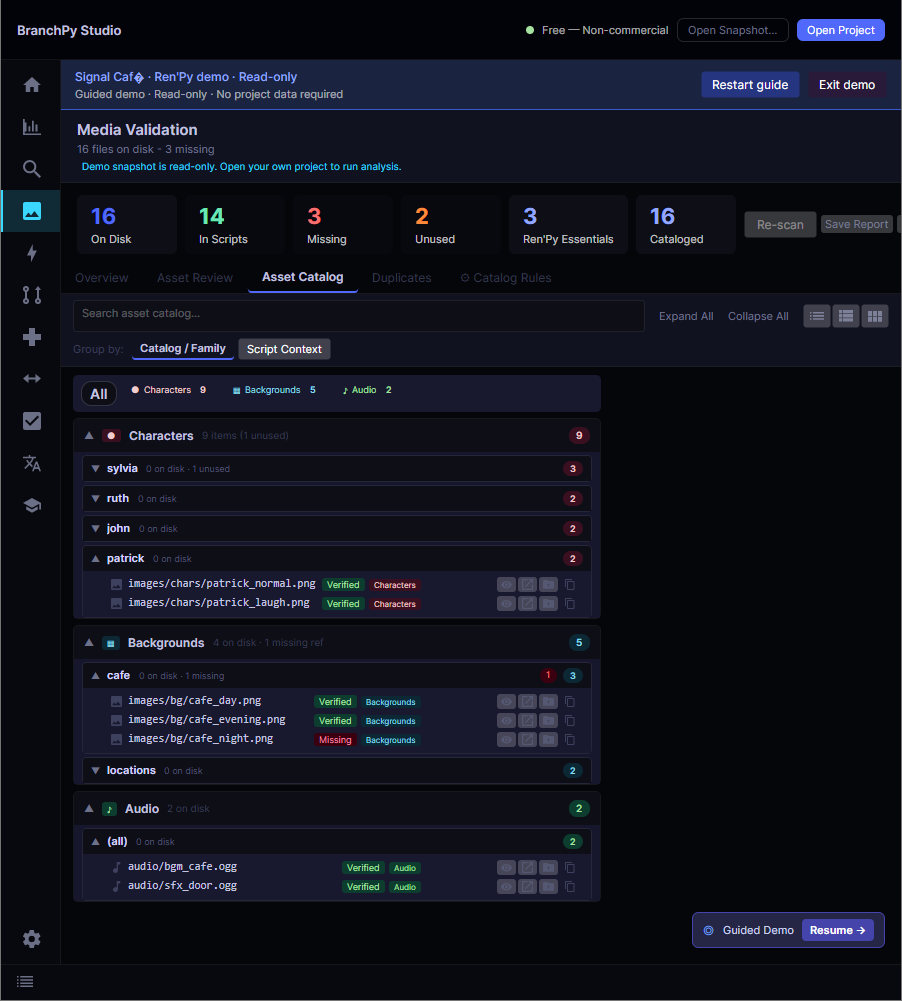
Validate localization coverage
On multilingual projects it's hard to know which strings are translated, which are new, and which are stale leftovers from an earlier rewrite.
Reads your Ren'Py translation files and reports coverage per language, so you can see exactly what's done and what's left — and review every change before anything is written.
- Per-language coverage at a glance
- Clean export of untranslated strings
- Validation before any file is written
- Review every change before it applies