
Documentation version: v1.1.23 pre-release. Download BranchPy · Release notes
BranchPy helps Ren’Py creators and technical teams analyze narrative projects, detect flow and asset issues, and iterate with confidence.
What you get in one run
branchpy --project my-game analyze --open

Analyze complete
- labels detected: 742
- warnings found: 14
- errors found: 3
- flow outputs available: yes

Then open:
- Flowchart: visual story structure and dead ends
- Media Validation: missing and unreferenced assets
- Stats: project and narrative metrics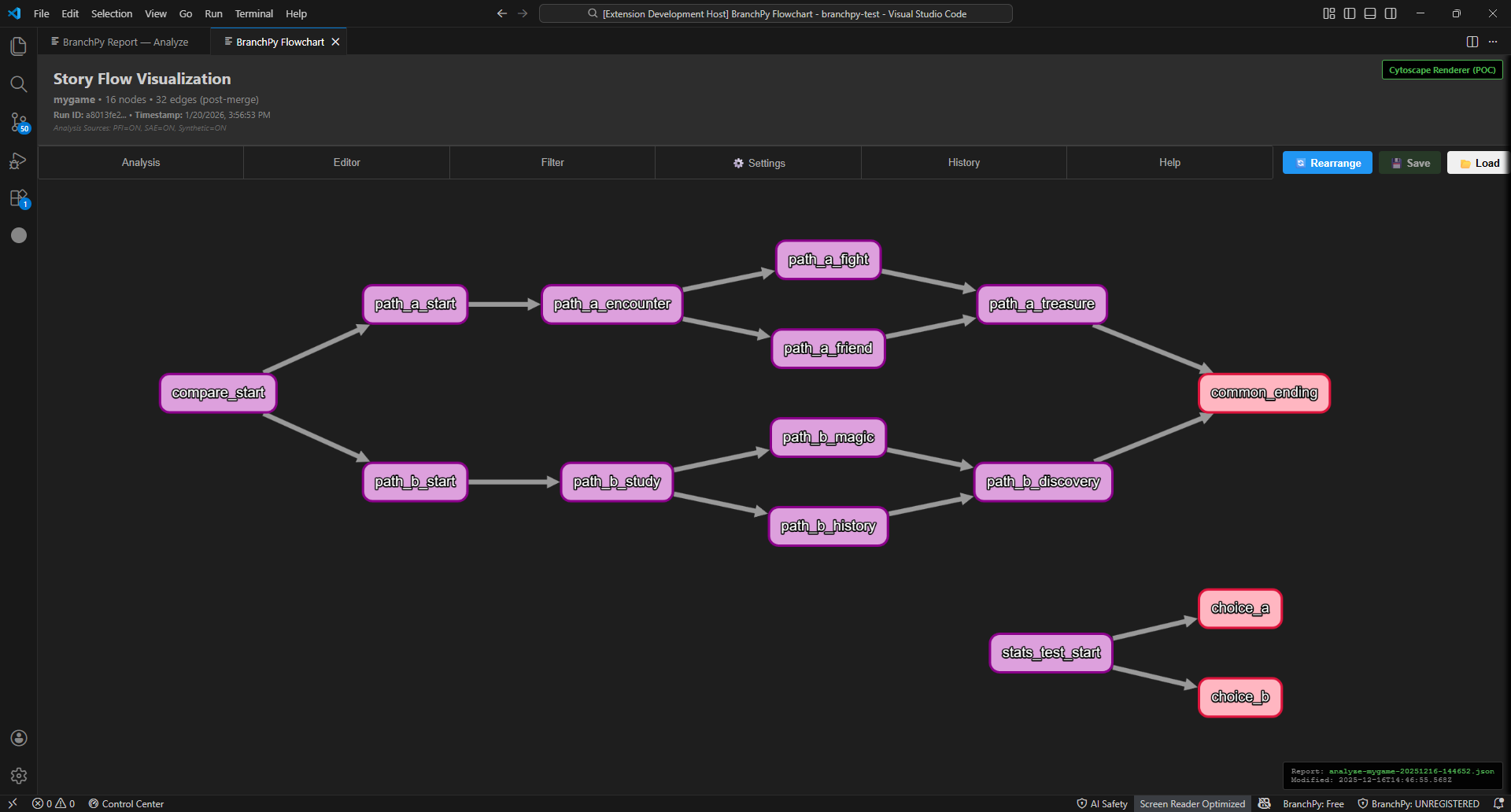
Typical runtime (local machine, approximate):
- Small VN (<200 labels): 2-5 seconds
- Medium VN (200-1000 labels): 10-30 seconds
- Large VN (>1000 labels): 30-120 seconds
Trust and safety basics:
- Runs locally.
- Does not modify your project files during analysis.
- Deterministic analysis path for repeatable local/CI runs.
- AI features are optional.
Recommended path:
- Start in VS Code with BranchPy Control Center for the fastest onboarding.
- Use CLI for automation, CI, and deterministic scripted runs.
Start Here
- Download and Install - VS Code and CLI installation paths.
- Quick Start in 3 Minutes - install, run, fix one issue, and read your first flow output.
- First 10 Minutes with BranchPy - complete the core loop: Analyze, Flowchart, Doctor, Media Validation, Compare.
- How BranchPy Works - one-page mental model of the analysis pipeline.
- First Run: VS Code + CLI by Feature - one feature, two run modes.
- Account and License - sign in and claim Ren’Py Free.
- User Guide Home - practical workflows.
Get Help
Core Features
Advanced Features
- Pilot — path-aware variable analysis (requires Analyze)
- Omega — variable bounds and co-occurrence signals (requires Pilot)
- Function Manager — discover, index, and inspect custom functions
CLI and Automation
Advanced and Reference
Support BranchPy
If BranchPy saves you time, you can support development here:
Documentation Version: 1.1.1
Last Updated: March 2026