
Doctor is BranchPy’s policy and control layer. It evaluates the outputs of analysis and interprets them in the context of your specific project � so what you see reflects your actual situation, not a generic checklist.
What Doctor is
Doctor sits on top of analysis. It does not perform all analysis itself � it reads what Analyze, Flowchart, Stats, and other surfaces have already produced, then applies validation rules and thresholds to decide whether something is an error, a warning, or expected behavior.
The same raw finding can mean different things in different projects. Doctor handles that distinction so you do not have to.
What Doctor reads
- Environment state: Python version, SDK availability, required tools, writable paths
- Project config:
.branchpy.tomlvalidity, expected folder structure, cache integrity - Analysis outputs: reports produced by Analyze and other BranchPy surfaces
- Project structure: classification (linear, hub-based, mixed) and confidence level
What Doctor produces
Doctor surfaces findings as:
- Errors � something is broken or misconfigured and must be fixed
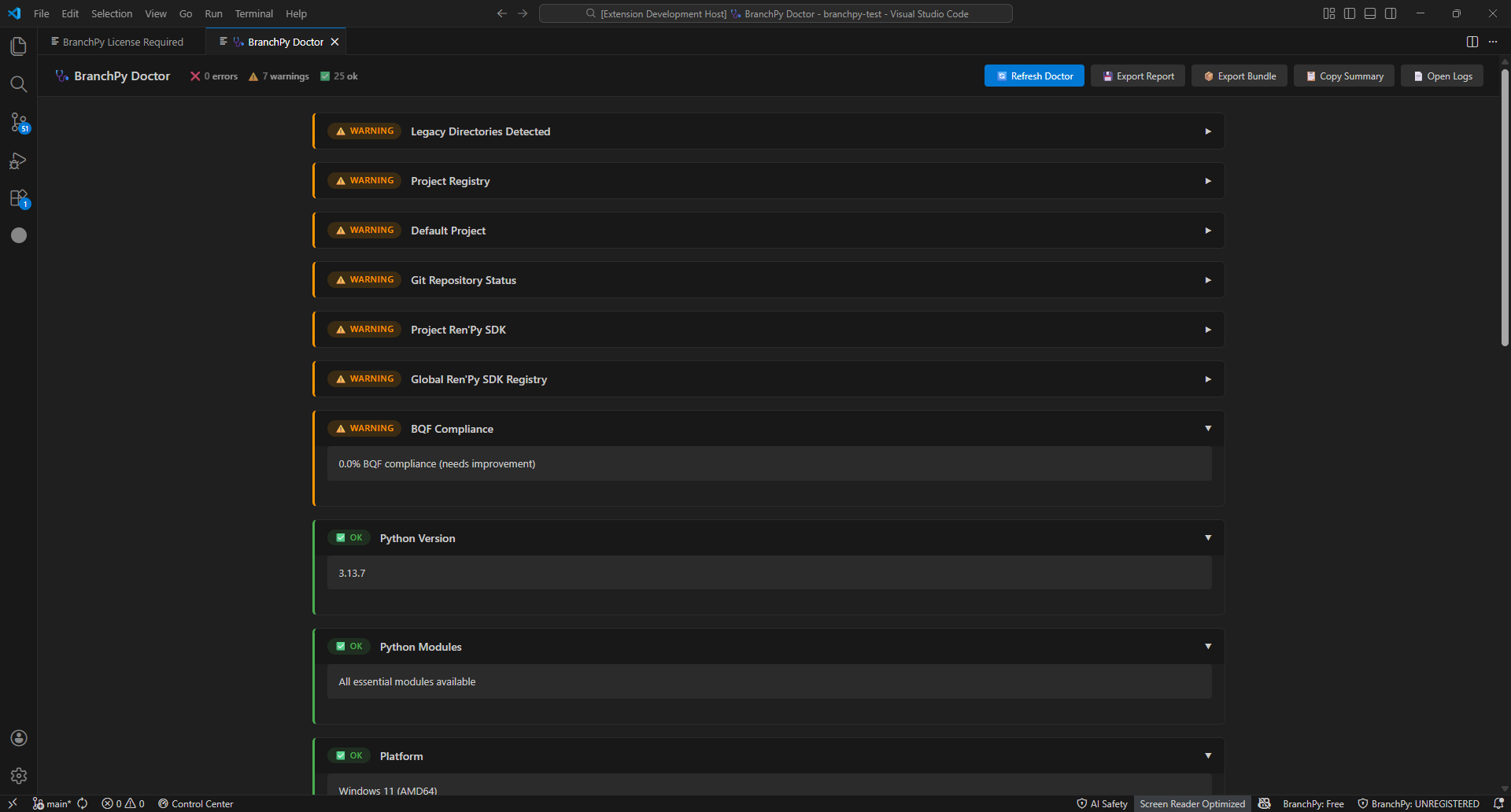
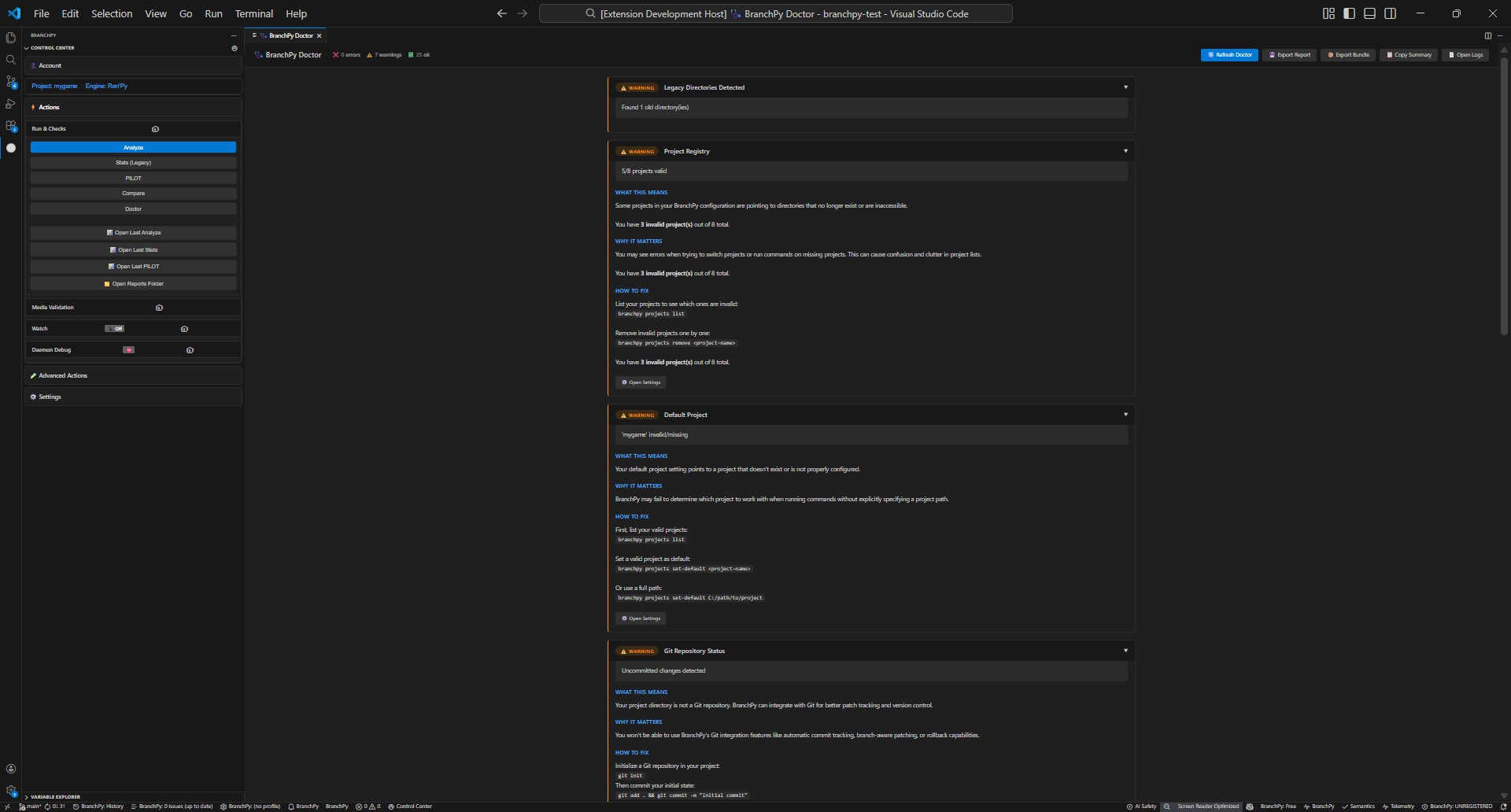
- Warnings � potential issues worth reviewing
- Insights � contextual information that explains why a finding looks the way it does, based on your project’s structure
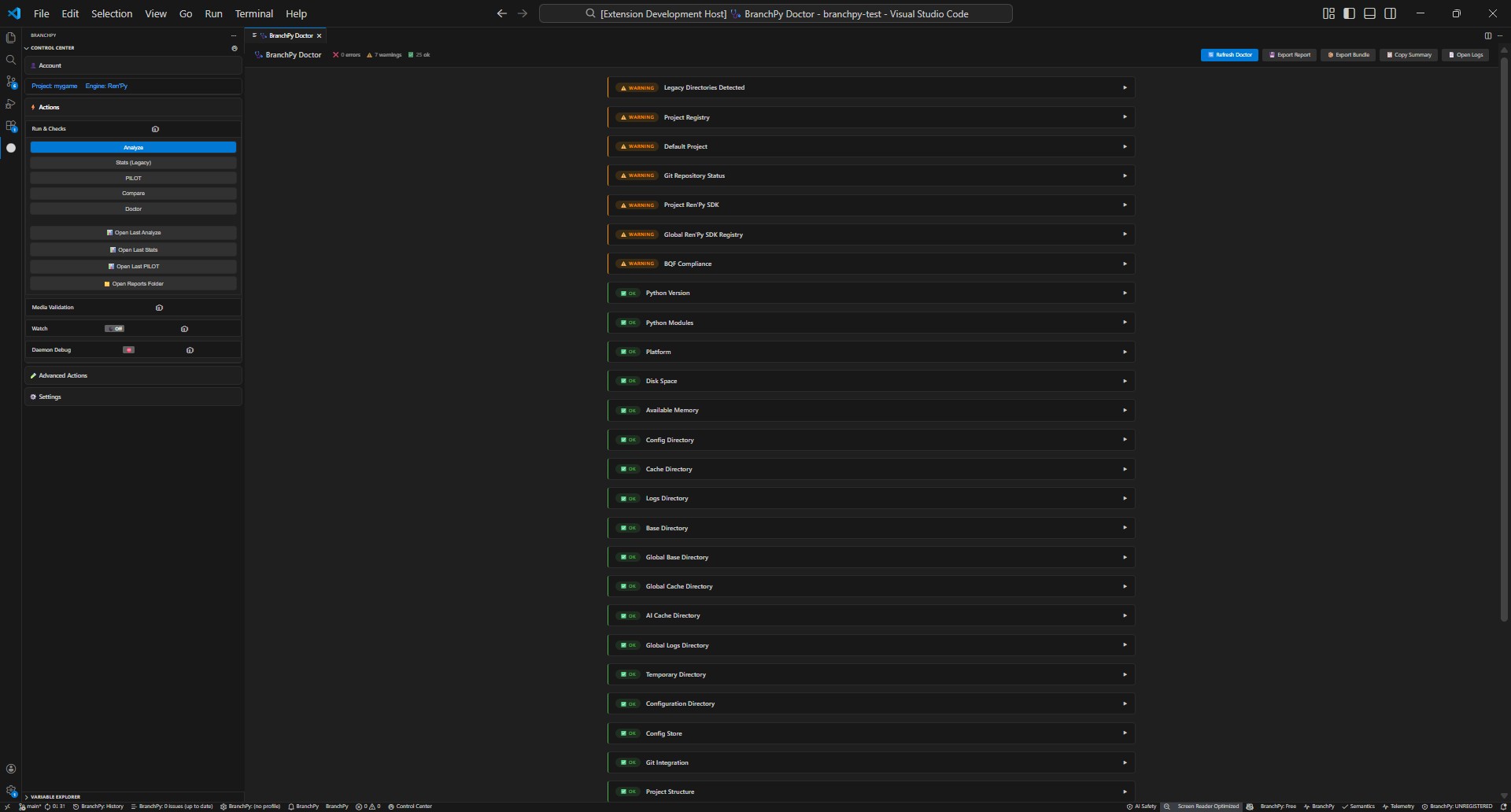
Findings are grouped in order: errors first, then warnings, then insights.
What Doctor is not
Doctor is not a raw linter. It does not apply the same rule unconditionally to every project. A finding that is a warning in a linear project may be informational in a hub-based project � because the project structure changes what “normal” looks like.
Doctor also does not re-run analysis. If your analysis outputs are stale, run Analyze first, then Doctor.
How to run (UI)
- Open the Control Center and select Doctor.
- Choose your project if prompted.
- Start the check � findings appear grouped by severity.
Common findings and fixes
- Missing SDK or tool: install the suggested package and re-run Doctor.
- Config or path issue: follow the inline guidance (fix path, adjust permissions, or regenerate config) and re-run.
- License/account warning: sign in or refresh license, then re-run.
- Narrative structure insight: this is contextual information, not an error. It explains how Doctor has interpreted your project type. No action required unless you want to change your narrative entry label.
When to escalate
- If Doctor keeps failing after fixes, run the CLI Doctor command for detailed output and stable check IDs.
- For license or sign-in errors that persist, check Account/License help, then contact support.
Where Doctor is going
Doctor is designed to become a configurable validation layer � where you can enable or disable specific checks, adjust severity levels, and define project-specific validation profiles. This is planned for a future release and is not yet available. What you see today is the foundation that work builds on.
Learn more: Technical/cli