
Download BranchPy Studio
Practical project analysis for Ren'Py and Godot creators — local-first and read-only by default. Explore the walkthrough without an account, then create a free BranchPy account to unlock full analysis.
Ren'Py Creator is free. · Windows installer signed by BranchPy inc. · Available for Windows, macOS, and Linux.
Get BranchPy Studio
Available for Windows, macOS, and Linux. Start with Ren'Py Creator (free) and move to Pro when your production needs it.
macOS / Linux
macOS
M1/M2/M3 → Apple Silicon · Pre-2020 Mac → Intel
⚠ Not notarised — Gatekeeper may block the app. Right-click → Open to run.
The Windows installer is digitally signed by BranchPy inc. via Microsoft Artifact Signing. Windows may show a warning — click "More info" then "Run anyway". · macOS: Gatekeeper may warn — right-click → Open to run (notarisation coming soon). · Linux: Extract the archive and mark executable: chmod +x BranchPy.Desktop.App.
Up and running in 4 steps
Install BranchPy Studio
Download the installer for your platform and follow the setup instructions.
Create a free account
Claim Ren'Py Creator — free, no payment required.
Sign in
Connect Studio to your account to analyze your own projects.
Open project & run analysis
Ren'Py or Godot — point to the project root and review the results.
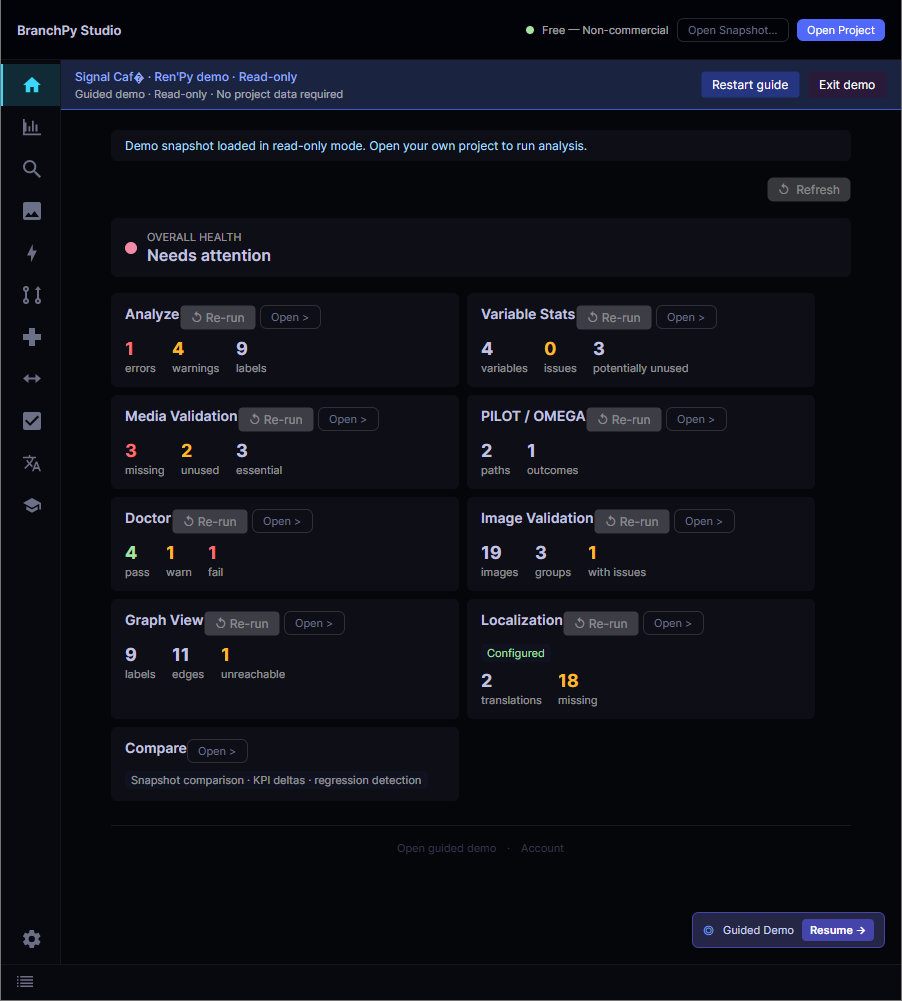
Explore the walkthrough without an account. Create a free BranchPy account to start analyzing your Ren'Py projects. BranchPy works best with a standard project structure — point it at the project root, not a parent folder.
Built to keep you in control
Read-only by default
Your source is never modified automatically.
Deterministic core analysis
The same inputs always produce the same results.
Local-first workflow
Core analysis runs on your machine.
Optional AI integrations
Off by default, enabled only when you turn them on.
Account & license
Without an account, you can explore the walkthrough. Create a free BranchPy account to unlock full analysis and tier features — no payment required for Ren'Py Creator. Sign in to connect Studio and analyze your own project.