
Translations that stay in sync with your script
BranchPy Studio's Localization tools track coverage across every language in your Ren'Py project, export strings to Excel for your translators, and apply finished translations back in one step — with validation before anything is written.
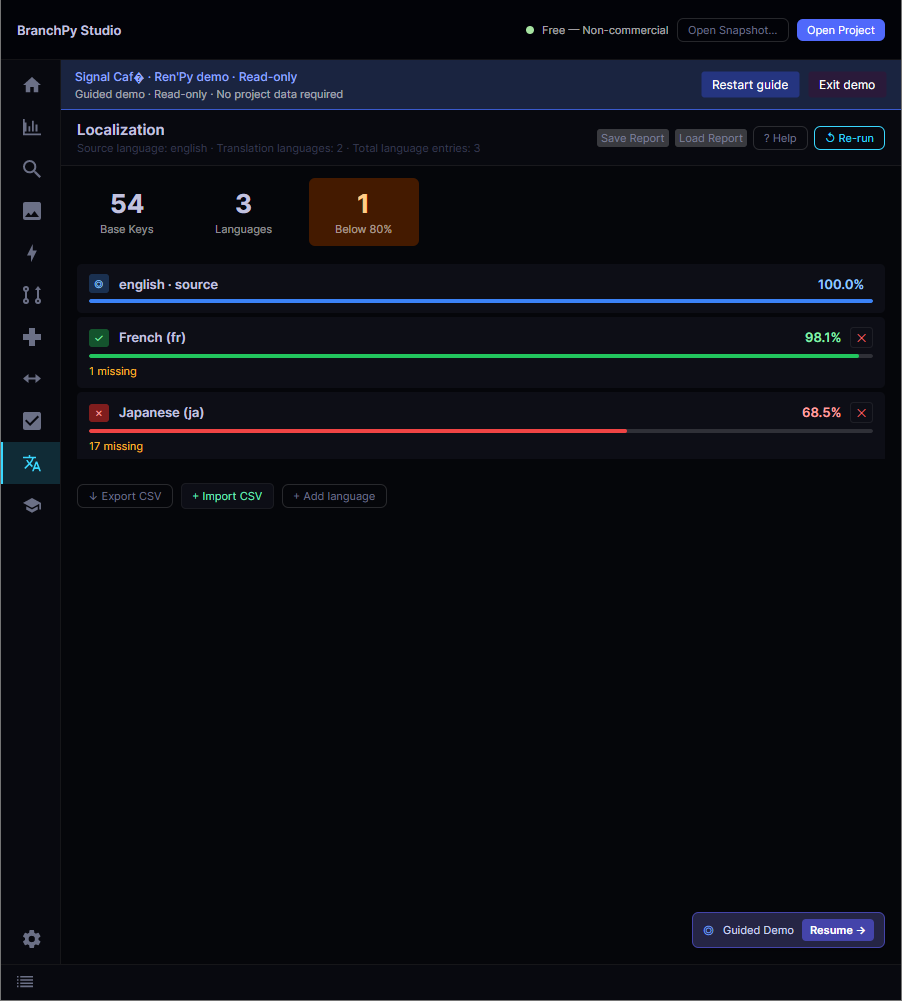
The Localization screen in BranchPy Studio — per-language coverage with export and import & validate.
Managing translations by hand doesn't scale
A Ren'Py tl/ folder with two or more languages quickly becomes unmanageable. Strings get added to the source, but translators work in separate files or spreadsheets. By release, you don't know which strings are translated, which are stale, and which are orphaned leftovers from a rewrite.
BranchPy Studio's Localization Coverage audit reads your actual tl/ files at any time and gives you an exact count. The Export → Translate → Import round-trip replaces copy-paste workflows with a structured, validated pipeline that checks every row before writing a single file.
What it does
Coverage Audit
Per-language coverage percentage, missing string count, and orphaned block detection — all in one panel that updates every time you re-run.
Export to XLSX
Export every translatable string to a spreadsheet with source text, translation key, source file, and language columns. Translators can work in any spreadsheet tool.
Import & Validate
Load the finished workbook and get a full validation report before writing anything: missing keys, placeholder mismatches, duplicate rows, and empty translations all flagged separately.
Apply with Preview
The preview panel shows every row that will change, grouped by language. Rows with warnings require explicit confirmation; rows with errors are blocked until fixed in the spreadsheet.
Source Drift Detection
If the English source changed since the translator received the export, the affected rows are flagged as SOURCE_DRIFT so you can decide whether to accept or skip them per row.
Automatic Backup
A timestamped backup of every .rpy file that will be modified is created before the first write. If anything goes wrong, you have a complete point-in-time snapshot to restore from.
The round-trip workflow
Export → translate → import → apply. Each step is independent — pause between any two without losing work.
Run Coverage Audit
See current translation percentages and find missing or orphaned strings before you start.
Export to XLSX
Click Export in the Localization panel. Save the workbook and send it to your translator.
Translate in Excel
The translator fills in the Translation column. The source text and file path are there for context.
Import & Validate
Pick the finished workbook. BranchPy validates every row and opens a preview of all changes.
Review & Apply
Approve the preview. BranchPy backs up the .rpy files, writes the translations, and reports coverage before and after.
Validation — what gets checked
Every row in the workbook passes through 8 checks before it can proceed to Apply.
| Code | Outcome | What it means |
|---|---|---|
PLACEHOLDER_MISMATCH |
Rejected | A [variable] or {tag} present in the source is missing from the translation, or vice versa. |
EMPTY_TRANSLATION |
Warning | The translation cell is blank. The row can still be applied if you confirm. |
SOURCE_DRIFT |
Warning | The source text changed after export. The translation may be based on outdated text. |
UNKNOWN_KEY |
Rejected | The translation key no longer exists in the project (the string was removed or renamed). |
DUPLICATE_KEY |
Rejected | The same key appears more than once in the import file. |