
Understand your project
before it breaks
Built for Ren'Py and Godot creators. Analyze branching logic, validate media, and inspect structure in one local-first workspace for story-rich and systems-heavy projects.
Ren'Py Creator is free. · Ren'Py Pro and Godot Pro unlock advanced workflows.
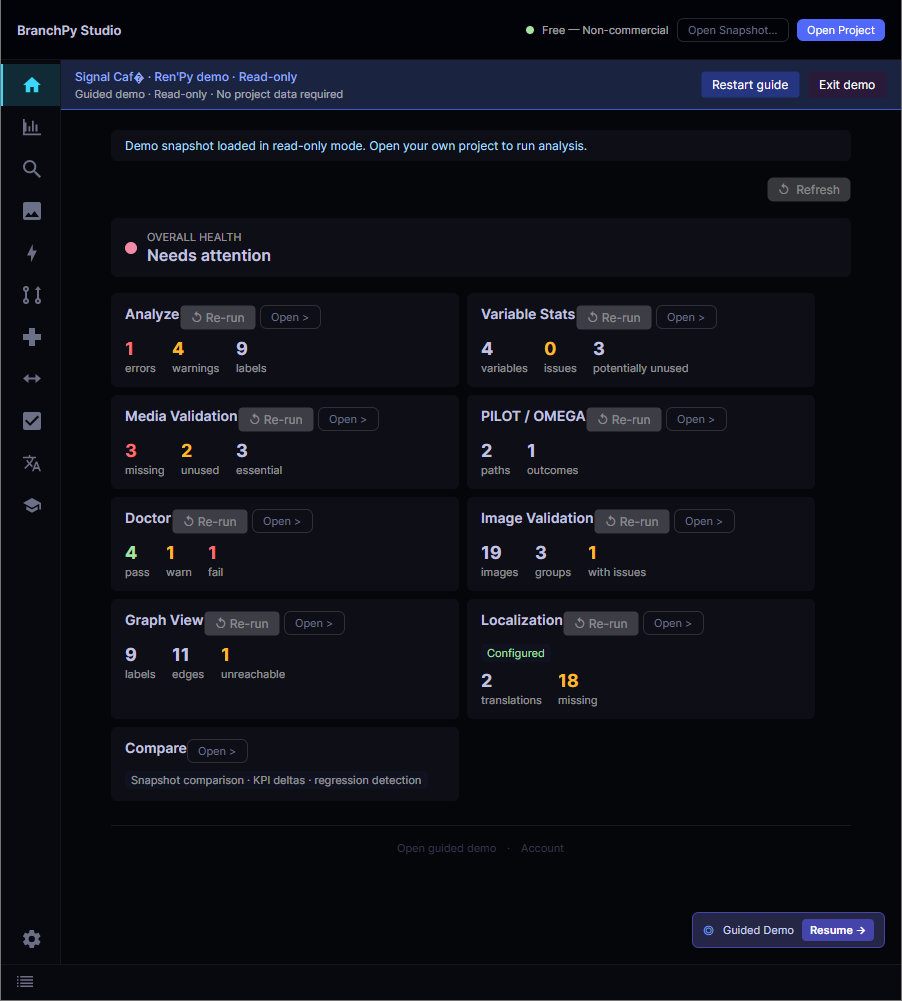
What BranchPy Helps You Detect
Spot structural and media problems before they become production blockers.
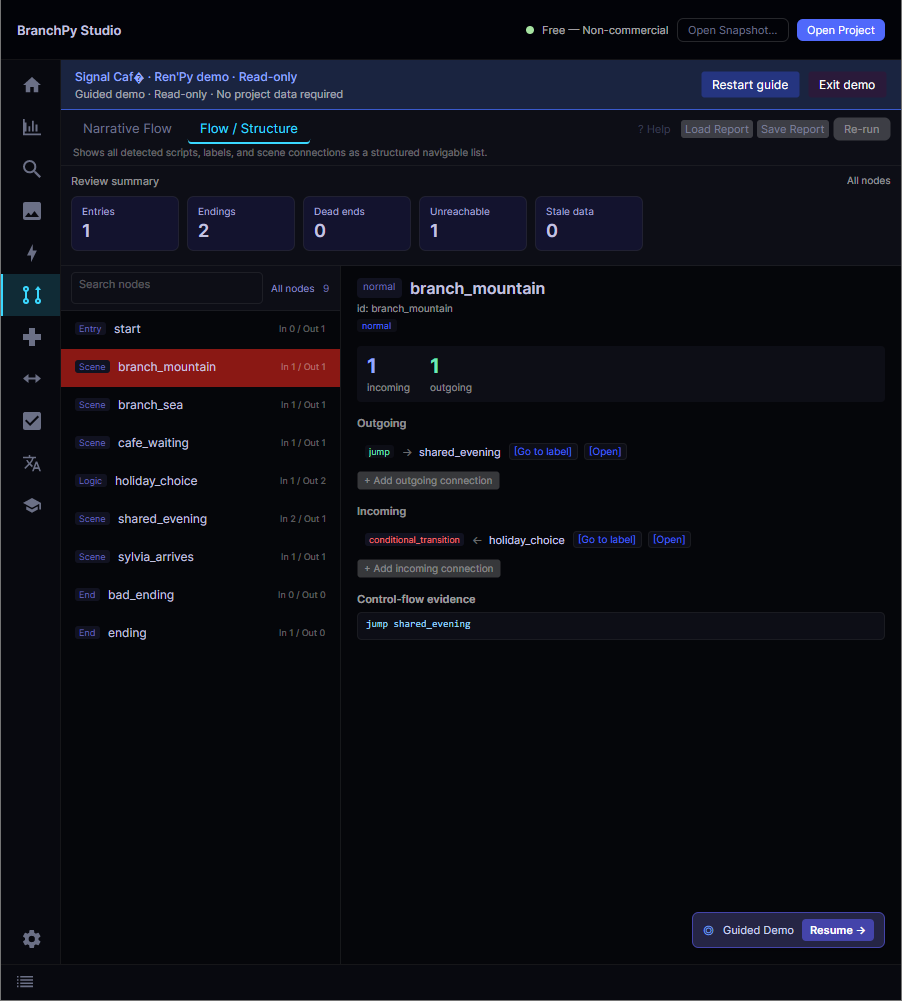
Broken or unreachable paths
Gameplay and narrative: missing transitions, orphan labels, dead-end paths.
Missing or mismatched media
Absent references, unused assets, project-to-file mismatches.
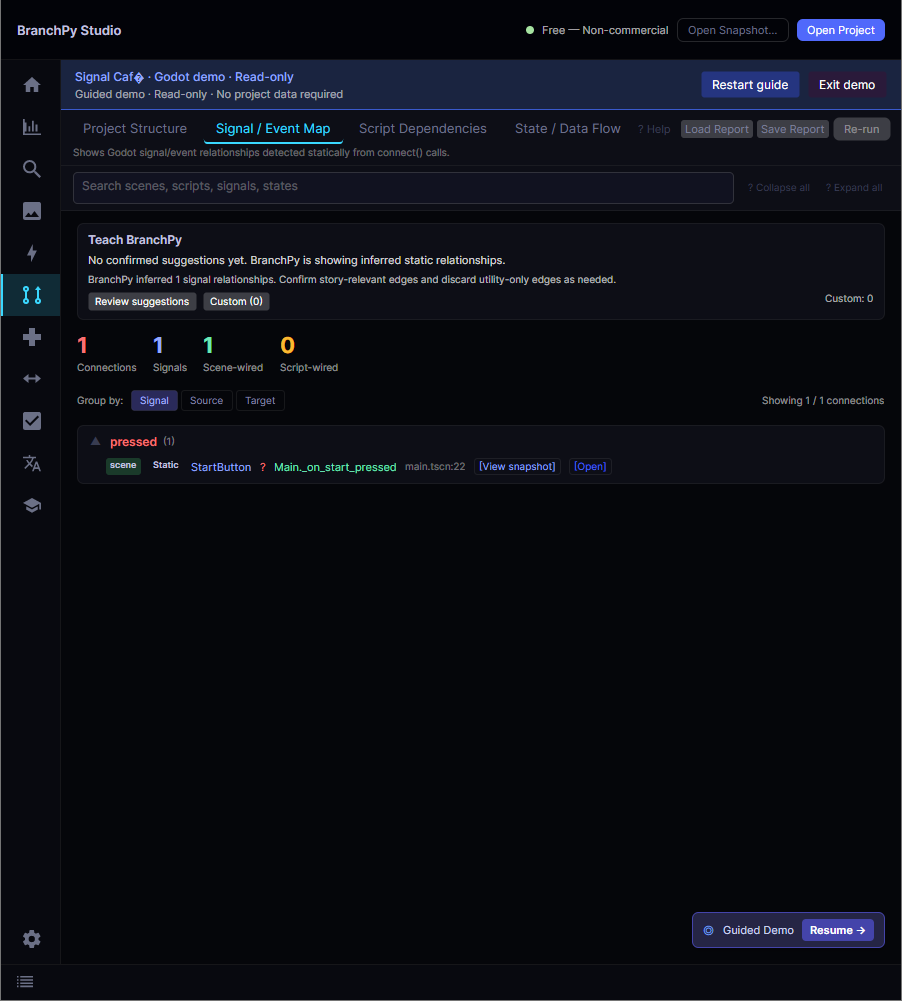
Structural risks
Fragile dependencies, hard-to-maintain architecture, high-risk areas.
Logic and structure inconsistencies
Questionable variable usage and branching structure, surfaced for your review.
Changes between saved runs
Compare saved reports to review what changed from one analysis to the next.
BranchPy surfaces issues for review — your code stays under your control.
How It Works
No complex setup. Explore the walkthrough without an account — a free account unlocks full analysis.
Install BranchPy Studio
Download the desktop app — available for Windows, macOS, and Linux. Windows is digitally signed; macOS builds are not yet notarized.
Create a free account
Claim Ren'Py Creator — free, no payment required.
Sign in and connect Studio
Link Studio to your account to unlock full analysis.
Open your project and run analysis
Ren'Py or Godot — point to the project root and review the results.
Built to give you full control
Your source is never modified automatically. Your workflow, your rules.
Read-only by default
Analysis never touches your source files. Your source is never modified automatically.
Deterministic core analysis
The same inputs always produce the same results. Reliable on every run.
Local-first workflow
Core analysis runs locally — your project content stays local by default.
Optional AI integrations
AI integrations are enabled only when you turn them on. Off by default.
Feature highlights
Focused tools to understand, detect, visualize and validate your project.
Analyze with clarity
Find logic issues and navigate directly to problem areas.
Validate assets faster
Detect missing, unused, and inconsistent media references.
See your structure visually
Explore project flow and connections in a clear, interactive view.
Track changes with confidence
Compare saved reports over time and review what changed between analysis runs.
Go deeper when needed
Use advanced tools for larger projects and pre-release checks.
Choose your tier
Start free with Ren'Py Creator. Unlock advanced workflows with Pro.
- Personal Ren'Py projects
- Full core analysis
- Media validation
- Structure visualization
- Core workflows
- Everything in Ren'Py Creator
- Advanced production workflows
- Advanced run comparison
- Pre-release tools
- Optional AI integrations
- Godot project support
- Complex systems analysis
- Team and studio workflows
- Advanced production tools
- Optional AI integrations
Full plan details, prices, and the feature availability matrix are on the pricing page.